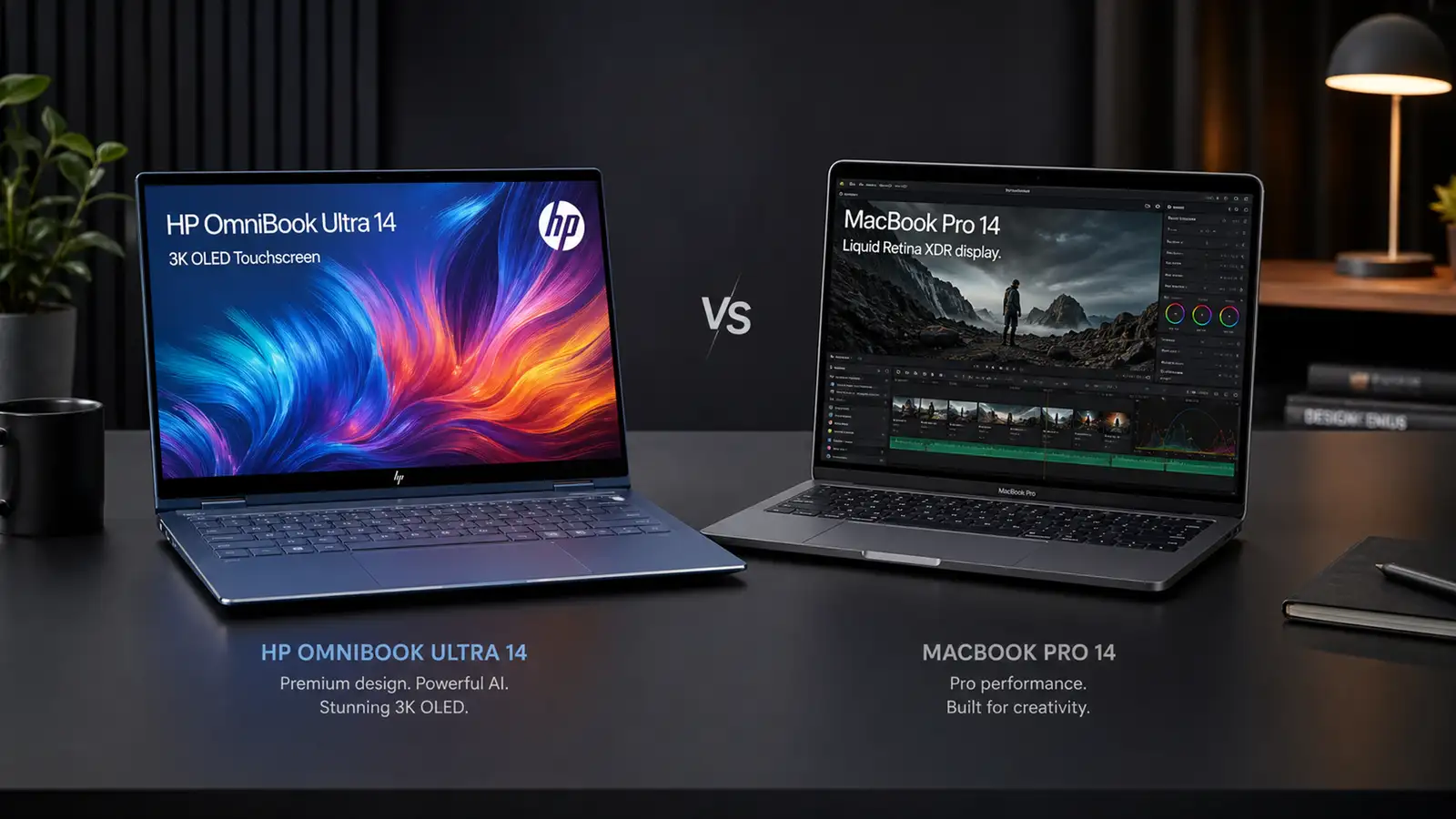
The 14-inch premium laptop segment has never been more competitive than it is in mid-2026. On one side sits the Apple MacBook Pro 14 with the M5 chip — a machine that has dominated benchmarks, battery tests, and creative workflows since its launch in late 2025. On the other side, HP has completely reimagined its flagship consumer ultraportable, the OmniBook Ultra 14, and armed it with Qualcomm’s latest Snapdragon X2 Elite processor. CNET called it a “MacBook killer.” Tom’s Hardware praised its “potent Snapdragon performance.” Memeburn declared its multi-core performance “surpasses the MacBook Air M5 by a wide margin.” But the real question isn’t whether the OmniBook Ultra 14 can beat a MacBook Air — it’s whether it can topple the MacBook Pro, Apple’s purpose-built productivity workhorse.
After poring over independent reviews, benchmark data, and hands-on impressions from multiple outlets, we’ve assembled a detailed comparison to help you decide: should you buy HP’s Snapdragon-powered flagship or stick with Apple’s M5 MacBook Pro? The answer might surprise you.
Design and Build Quality
HP has given the OmniBook Ultra 14 a complete design overhaul for 2026. Gone is the conservative Spectre-era aesthetic. In its place is a forged aluminum-alloy chassis with sharply polished edges and a sophisticated “Stone Blue” finish that CNET’s Matt Elliott described as “a pleasing shade of grayish light blue.” The angular, mirror-polished edges catch the light in a way that feels deliberately premium — a design language that signals HP’s ambition to compete directly with Apple’s industrial design prowess.
The MacBook Pro 14 retains its familiar unibody aluminum construction. It’s a design that hasn’t changed meaningfully in several years, but it remains exceptionally well-executed. The space gray and silver finishes are understated and professional. There’s no polish or sparkle here — just confident, functional minimalism.
Where the OmniBook Ultra 14 makes its boldest statement is in portability. At 2.81 pounds (1.27 kg) and just 0.42 inches thick, it’s dramatically thinner and lighter than the MacBook Pro 14, which weighs 3.4 to 3.5 pounds (1.55 to 1.61 kg) and measures 0.61 inches thick. That’s a difference of nearly three-quarters of a pound — the equivalent of carrying an extra smartphone in your bag. The OmniBook Ultra 14’s concave bottom platform creates the illusion that the laptop is floating above the desk, and it doubles as an ergonomic grip when carrying the device. CNET noted that the “gently sloped rubber foot on either end of this concave platform is angled perfectly to provide a comfortable grip below your fingertips.”
However, the thinness comes with a trade-off. Multiple reviewers noted that the OmniBook Ultra 14’s sharply squared-off bottom edges can dig into your palms when carrying the laptop or into your thighs when using it on your lap. The MacBook Pro’s rounded bottom edges make it more comfortable for lap use, even if the machine is heavier overall.
Both laptops exhibit outstanding build quality. The HP has zero flex in the keyboard deck or lid, and the aluminum feels dense and premium. The MacBook Pro’s unibody construction remains the gold standard for rigidity. In terms of pure aesthetics, the HP is the head-turner. In terms of ergonomic comfort, Apple still has the edge.
Display
The display is one of the most critical battlegrounds for any premium laptop, and here the two machines take fundamentally different approaches.
The HP OmniBook Ultra 14 features a 14-inch 3K (2880 x 1800) OLED touchscreen with a 120 Hz refresh rate. HP rates it at 500 nits of brightness, though independent measurements varied: Tom’s Hardware recorded 414 nits while CNET measured 462 nits with a colorimeter. The panel covers 100% of the DCI-P3 color gamut according to Engadget, and 87% DCI-P3 / 122% sRGB according to Tom’s Hardware’s testing. The glossy finish enhances vibrancy but does introduce some reflections, though reviewers noted that at maximum brightness, reflections were “hardly noticeable.” The OLED panel produces effectively infinite contrast ratios with true blacks — a hallmark of the technology. And it supports multi-touch, which is absent from the MacBook Pro.
The MacBook Pro 14 counters with Apple’s Liquid Retina XDR display — a 14.2-inch mini-LED panel with 3024 x 1964 resolution, 120 Hz ProMotion adaptive refresh rate, and dramatically higher brightness: 1000 nits sustained full-screen and 1600 nits peak for HDR content. The mini-LED backlighting with local dimming zones approaches OLED-level contrast while avoiding burn-in concerns. For HDR video editing, the MacBook Pro’s display is in a class of its own.
For everyday use — web browsing, document editing, media consumption — both displays are exceptional. The HP’s OLED produces more saturated, vibrant colors that pop off the screen. The MacBook Pro’s mini-LED offers superior brightness for outdoor use and HDR content creation. If you’re a video editor grading HDR footage, the MacBook Pro wins decisively. For everyone else, the HP’s OLED with touch support is more than competitive.
Performance
This is where the comparison gets genuinely interesting. The HP OmniBook Ultra 14 we’re evaluating uses Qualcomm’s flagship Snapdragon X2 Elite X2E-90-100 processor — an 18-core ARM-based chip clocked at up to 5.0 GHz, built on a 3nm process. It’s paired with up to 64GB of LPDDR5x-9523 RAM and a PCIe Gen 5 NVMe SSD. The integrated Adreno X2-90 GPU handles graphics duties, and the Hexagon NPU delivers up to 85 TOPS of AI compute performance.
The MacBook Pro 14 (base model) uses Apple’s M5 chip — a 10-core CPU (4 performance, 6 efficiency) with a 10-core GPU, 16GB of unified memory, and a 16-core Neural Engine.
In Geekbench 6 single-core performance, the MacBook Pro M5 still holds a lead: Tom’s Hardware recorded 4,168 for the M5 versus 3,942 for the Snapdragon X2 Elite in the OmniBook Ultra. But in multi-core, the gap narrows dramatically. CNET found that the Snapdragon X2 Elite model “edged the M5 MacBook Pro on the multicore Geekbench 6 test, which is a claim not many Windows laptops can make.”
Where the OmniBook Ultra 14 truly shines is in productivity and I/O-bound workloads. Tom’s Hardware’s 25GB file transfer test delivered 2,620.91 MB/s for the HP compared to 1,924.84 MB/s for the MacBook Air M5 — a 36% advantage thanks to the PCIe Gen 5 SSD. In the Handbrake 4K-to-1080p video transcode test, the OmniBook Ultra completed the task in 2 minutes and 11 seconds. The MacBook Air M5 took over 4 minutes. While we don’t have direct MacBook Pro M5 Handbrake comparison numbers, the delta is striking enough that the OmniBook Ultra would likely compete favorably even against the Pro.
The MacBook Pro’s advantage lies in GPU performance and software optimization. Apple’s M5 GPU benefits from years of Metal API optimization and native ARM support across the entire macOS ecosystem. The Snapdragon X2 Elite’s Adreno GPU, while competent for productivity tasks and light creative work, struggles with gaming — CNET’s testing showed the Qualcomm model averaging just 23 fps on Guardians of the Galaxy (1080p High) and 35 fps on Shadow of the Tomb Raider (1080p Highest). The Intel version of the OmniBook Ultra 14, by comparison, managed 72 fps and 59 fps respectively. For GPU-intensive creative work or gaming, the MacBook Pro holds a clear lead.
The AI story is also worth examining. The Snapdragon X2 Elite’s Hexagon NPU delivers 85 TOPS, which dramatically outperforms the Intel Panther Lake variant (50 TOPS) on AI benchmarks. The M5’s Neural Engine is rated at 18 TOPS — a substantially lower figure, though Apple’s tight hardware-software integration means real-world AI performance (Apple Intelligence features, ML-accelerated workflows) often exceeds what raw TOPS numbers suggest. For Windows Copilot+ features and third-party AI applications, however, the Qualcomm NPU’s headroom is a genuine advantage.
Battery Life
Battery life has long been Apple Silicon’s trump card, but the Snapdragon X2 Elite is closing the gap dramatically. Tom’s Hardware’s mixed-usage battery test (web browsing, video streaming, WebGL at 150 nits) yielded 13 hours and 27 minutes for the OmniBook Ultra 14 — 3 hours longer than the identically-chipped Asus Zenbook A16, and over half an hour better than the previous-generation OmniBook Ultra. The 13-inch MacBook Air M5 lasted 15 hours and 28 minutes in the same test.
CNET’s YouTube streaming battery drain test tells an even more impressive story: the OmniBook Ultra 14 (Snapdragon) ran for 19.5 hours, more than two hours longer than the Intel version. The MacBook Pro M5 reached nearly 23 hours on the same test.
In practical terms, both laptops will easily get you through a full workday and well into the evening. The MacBook Pro still has the edge — that extra 3-4 hours could be the difference between needing a charger on a long-haul flight or not — but the HP has narrowed the gap to a point where battery anxiety should not be a deciding factor for the vast majority of users.
Keyboard and Trackpad
HP has equipped the OmniBook Ultra 14 with what multiple reviewers have called one of the best laptop keyboards available. CNET’s Matt Elliott, after two weeks with the device, declared it “one of my favorite laptop keyboards.” The latticeless design (no visible gaps between keys) is reminiscent of Dell’s XPS line, but HP’s keys are sculpted with subtle indentations that provide tactile separation. Key travel is “surprisingly deep for such a thin laptop,” and the typing experience is “lush yet lively” without being mushy. Tom’s Hardware’s reviewer achieved 87 words per minute with 97% accuracy on the HP keyboard — excellent numbers for any laptop.
The MacBook Pro 14’s Magic Keyboard remains excellent in its own right — stable, well-spaced, and consistent. It has slightly less key travel than the HP but offers a more crisp, defined bottoming action. Keyboard preference is subjective, but multiple professional reviewers have rated the OmniBook Ultra 14’s keyboard as superior to Apple’s offering.
Both laptops feature large haptic trackpads. The HP’s measures 5.4 x 3.4 inches and provides consistent haptic feedback regardless of where you press. The MacBook Pro’s Force Touch trackpad is slightly smaller but remains the benchmark for precision and palm rejection. Both are excellent; neither is a reason to choose one laptop over the other.
Ports and Connectivity
Here the two laptops diverge significantly — and it’s one area where Apple retains a practical advantage despite HP’s newer networking hardware.
The OmniBook Ultra 14 offers three USB-C ports (all supporting USB4 at 40 Gbps, USB Power Delivery 3.1, and DisplayPort 1.4) plus a 3.5mm headphone jack. There is no USB-A, no HDMI, no SD card slot, and no Thunderbolt certification (though USB4 provides equivalent bandwidth). For users who need to connect external monitors, hard drives, or SD cards, a USB-C hub or dongle is practically mandatory. This is a deliberate trade-off for the ultra-thin design, but it’s a limitation worth acknowledging.
The MacBook Pro 14 offers MagSafe 3 charging, two Thunderbolt 4 USB-C ports, a full-size HDMI port, an SDXC card slot, and a 3.5mm headphone jack. The inclusion of HDMI and SD card reader means many creative professionals can work without dongles. The MagSafe connector frees up a USB-C port while charging. It’s a more versatile port selection.
On the wireless front, the HP has a clear advantage: Wi-Fi 7 (Qualcomm FastConnect 7800) and Bluetooth 5.4, versus the MacBook Pro’s Wi-Fi 6E and Bluetooth 5.3. For users with Wi-Fi 7 routers, the HP offers significantly faster theoretical wireless speeds and better congestion handling.
Software and Ecosystem
This is the most personal — and perhaps most decisive — factor in choosing between these two laptops. The OmniBook Ultra 14 runs Windows 11 (specifically the 26H1 update optimized for ARM), while the MacBook Pro 14 runs macOS Tahoe.
The Windows-on-ARM ecosystem has matured considerably since Qualcomm’s first Snapdragon X generation. Microsoft’s Prism emulator handles x86 applications with minimal performance penalties, and the catalog of native ARM64 Windows apps now includes Chrome, Photoshop, DaVinci Resolve, and most major productivity suites. CNET noted that “given the wide support, I’d wager most people won’t” encounter compatibility issues. However, some specialized software — particularly older enterprise applications, certain VPN clients, and niche creative tools — may still only run under x86 emulation or not at all.
HP’s software loadout is a mixed bag. There are useful utilities like HP Privacy Settings and the system information app, but reviewers criticized the excessive bloatware — HP Energy Star (which helps you buy appliances), McAfee antivirus trials, and promotional app links to Booking.com and Dropbox. These are standard Windows OEM annoyances, but on a laptop that can cost nearly $3,000, they feel particularly out of place.
The MacBook Pro’s macOS experience is famously clean and bloat-free. Apple Intelligence features are deeply integrated across the OS, and the ecosystem benefits — iMessage, AirDrop, Handoff, iPhone mirroring, Universal Clipboard — add real value for those already invested in Apple’s hardware ecosystem. Creative professionals will also benefit from industry-standard apps like Final Cut Pro and Logic Pro, which remain macOS exclusives.
Pricing and Value
This is where the HP OmniBook Ultra 14 delivers its knockout punch. The MacBook Pro 14 M5, after Apple’s June 2026 price hike, now starts at $1,999 with 16GB of unified memory and a 512GB SSD. Upgrading to 32GB of RAM and 1TB of storage pushes the price well past $2,500.
The OmniBook Ultra 14 with Snapdragon X2 series chips starts at $1,249.99 for the X2 Plus configuration (16GB RAM, 512GB SSD, 2K OLED). The X2 Elite model with 32GB RAM, 1TB SSD, and the 3K 120Hz OLED retails for $2,399 at Best Buy. But HP’s pricing is famously fluid — CNET observed discounts of up to $650 off, bringing a well-configured X2 Elite model with 32GB RAM, 1TB SSD, and the 3K OLED to around $1,980. That’s roughly the same price as the base MacBook Pro 14, but with double the RAM and a superior display.
For $1,720 (the custom config Tom’s Hardware recommended with X2 Elite, 32GB RAM, 512GB SSD, and 3K OLED), you get a laptop that outperforms the MacBook Pro in multi-core productivity, offers comparable real-world battery life, and includes a touchscreen OLED display. That’s $280 less than Apple’s entry-level MacBook Pro 14 with half the RAM.
The value proposition is hard to ignore. Unless you specifically need macOS, the M5’s GPU performance, or the MacBook Pro’s superior port selection, the HP OmniBook Ultra 14 delivers more hardware for less money.
Verdict
The HP OmniBook Ultra 14 and the MacBook Pro 14 represent two different philosophies of what a premium laptop should be. The MacBook Pro is the safe, reliable, predictable choice — exceptional build quality, best-in-class display brightness, superior GPU performance, and the polish of macOS. It’s the default recommendation for creative professionals and anyone deeply embedded in the Apple ecosystem.
But the OmniBook Ultra 14 is the more exciting machine in 2026. It’s thinner, lighter, and more visually striking. Its Snapdragon X2 Elite processor trades blows with the M5 in multi-core productivity while offering a substantially more powerful NPU for AI workloads. The 120Hz OLED touchscreen is gorgeous, the keyboard is best-in-class, and the battery life is close enough to Apple’s that most users won’t notice the difference. And critically, it costs significantly less for equivalent — or better — hardware specifications.
For the majority of premium laptop buyers in 2026 — professionals who need a fast, beautiful, long-lasting machine for productivity, web apps, and media consumption — the HP OmniBook Ultra 14 with Snapdragon X2 Elite is the better buy. It wins on design, value, keyboard quality, and raw multi-core performance. The MacBook Pro 14 remains the better choice for GPU-intensive creative work, HDR video production, and those who simply prefer macOS.
The Windows ARM era has officially arrived, and HP’s OmniBook Ultra 14 is its finest ambassador yet.