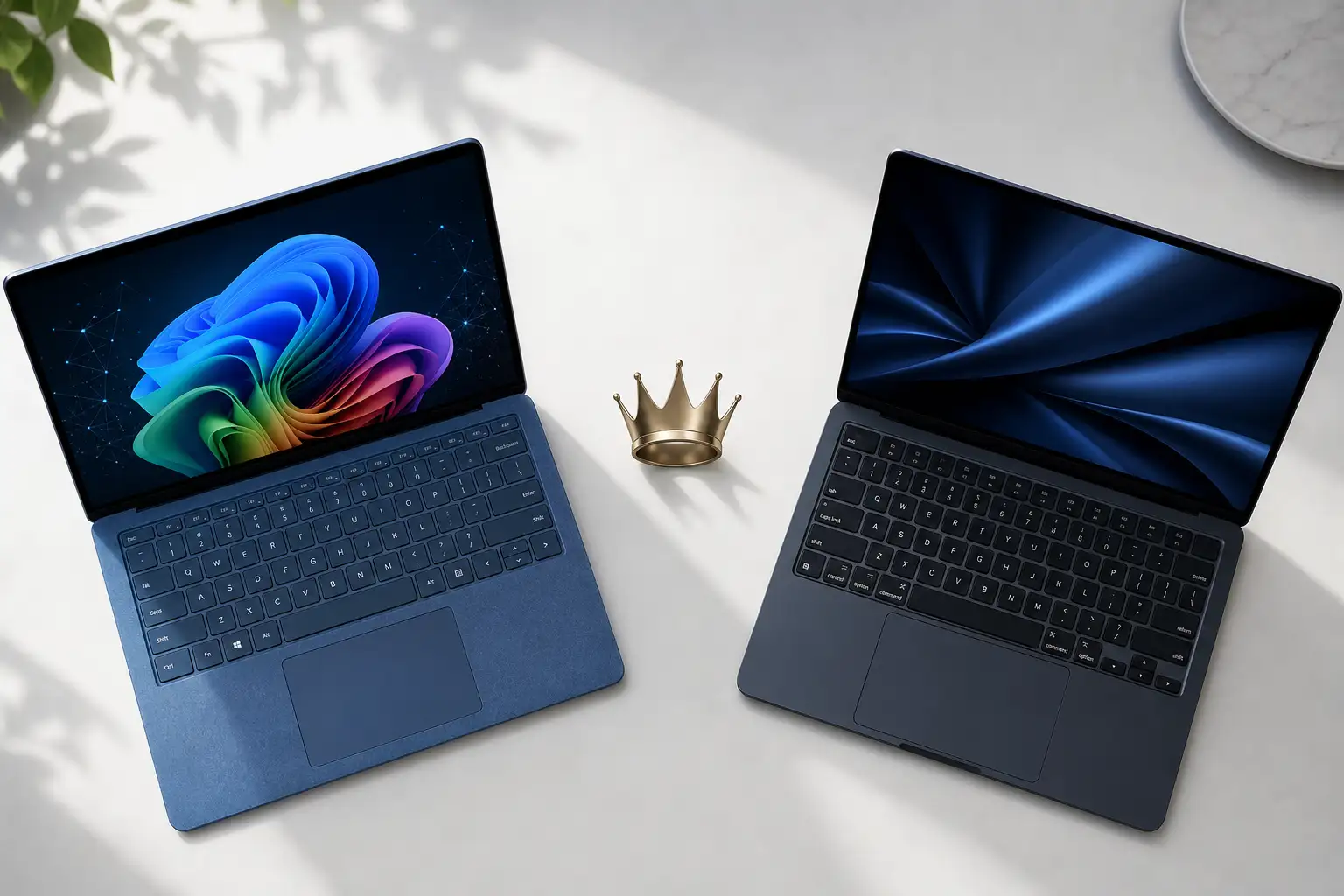
The MacBook Air has been the default recommendation for anyone who asks “which laptop should I buy?” since the M1 launched in 2020. It is thin, fast, silent, and lasts all day. The Surface Laptop 7 is Microsoft’s most credible challenge yet — a Windows laptop with Qualcomm’s Snapdragon X Elite chip that matches or beats the MacBook Air on every spec that matters.
After using both for a month as daily work machines, here is whether the Surface finally earns a seat at the table, and whether MacBook Air buyers have a real alternative.
Design and Portability
The Surface Laptop 7 is beautiful. The aluminum chassis, the subtle Microsoft logo on the lid, and the Alcantara or metal palm rest options make it the best-looking Windows laptop on the market. At 2.96 pounds and 0.69 inches thick, it slides into a bag without thought. The display bezels are thin and symmetrical.
The MacBook Air M4 is lighter at 2.7 pounds and thinner at 0.44 inches. But the wedge shape that made previous Airs feel impossibly thin has been replaced with a uniform thickness design that is more practical but less dramatic. The midnight finish still attracts fingerprints, but the build quality is flawless.
Both are premium, portable, and well-built. The MacBook Air is slightly lighter. The Surface is arguably more attractive.
Display
The Surface Laptop 7 has a 13.8-inch touchscreen with 120Hz refresh rate, 2,304 x 1,536 resolution, and 600 nits of peak brightness. The 3:2 aspect ratio shows more vertical content — ideal for documents, code, and web browsing. The touchscreen works well with the Surface Slim Pen for note-taking and markup.
The MacBook Air M4 has a 13.6-inch Liquid Retina display with 60Hz refresh rate, 2,560 x 1,664 resolution, and 500 nits of brightness. The notch at the top houses the webcam and is easy to ignore after a day. The display is sharp and color-accurate, but the 60Hz refresh rate feels dated next to the Surface’s smooth 120Hz scrolling.
The Surface wins on display: higher refresh rate, more vertical space, touch support, and the flexibility of a pen input. The MacBook Air’s display is perfectly fine, but Microsoft has the better screen.
Performance
The Snapdragon X Elite in the Surface Laptop 7 is a revelation for Windows on ARM. Native ARM apps — Microsoft Office, Edge, Photoshop, most modern development tools — run as fast as they do on Apple Silicon. The NPU handles Windows Copilot+ AI features locally. Emulated x86 apps run with a performance penalty, but most popular apps now have ARM-native versions.
The M4 in the MacBook Air is Apple Silicon at its most efficient. Single-core performance leads the industry. Multi-core performance handles video editing, code compilation, and data analysis without breaking a sweat. The fanless design means it is always silent, and performance does not throttle under sustained load.
Both are fast enough for 95% of laptop users. The M4 has a slight edge in raw performance and better sustained performance under heavy load. The Snapdragon has closed the gap to the point where most people will not notice a difference.
Battery Life
The Surface Laptop 7 delivers 15-17 hours of real-world use — web browsing, document editing, video streaming, email. This is the best battery life on any Windows laptop and finally competitive with Apple Silicon.
The MacBook Air M4 delivers 15-18 hours of similar use. The difference is close enough that charging habits, not battery life, will determine which one lasts through your day.
After years of Windows laptops trailing badly on battery life, the Surface Laptop 7 finally matches the MacBook Air. This is a big deal.
Keyboard and Trackpad
The Surface Laptop 7’s keyboard is excellent: 1.5mm of travel, quiet but tactile, with a satisfying snap to each keypress. The layout is clean with well-spaced keys. The trackpad is large, smooth, and precise.
The MacBook Air’s keyboard is equally good: 1mm of travel, firm and responsive, with the signature Apple key feel. The Force Touch trackpad remains the best in the industry — the haptic feedback is indistinguishable from a physical click, and it works everywhere on the surface.
Both keyboards are top-tier. The MacBook’s trackpad is slightly better. The Surface’s deeper key travel will appeal to writers.
Ports and Connectivity
The Surface Laptop 7 has two USB-C (USB4), one USB-A, a headphone jack, and the Surface Connect port for charging. The inclusion of USB-A is genuinely useful — you can plug in a flash drive or mouse without a dongle.
The MacBook Air M4 has two USB-C (Thunderbolt 4), MagSafe for charging, and a headphone jack. You will need a dongle for USB-A devices.
The Surface wins on ports: USB-A matters in the real world.
Windows on ARM Reality Check
The Surface Laptop 7 runs Windows on ARM, which means some niche software still does not work or runs slowly through emulation. VPN clients with kernel drivers, legacy enterprise software, and older games are the main casualties. Check whether your essential apps have ARM-native versions before buying.
The MacBook Air has no such limitations — Apple’s transition from Intel to Apple Silicon is complete, and every Mac app supports M-series chips natively.
If you rely on specific Windows software, verify compatibility. If your workflow is web-based or uses modern apps, you will be fine.
Verdict
The Surface Laptop 7 is the best Windows laptop for people who want a MacBook Air experience without leaving Windows. The display is better, the touchscreen adds flexibility, and the battery life finally matches Apple. The Windows on ARM compatibility caveat is real but shrinking every month.
The MacBook Air M4 remains the default recommendation for most people. It is faster in sustained workloads, the ecosystem is more mature, and you do not have to think about app compatibility. It is the safer choice — and sometimes the safer choice is also the right one.
If you prefer Windows, buy the Surface Laptop 7 without hesitation. If you are OS-agnostic, the MacBook Air still has a slight edge.