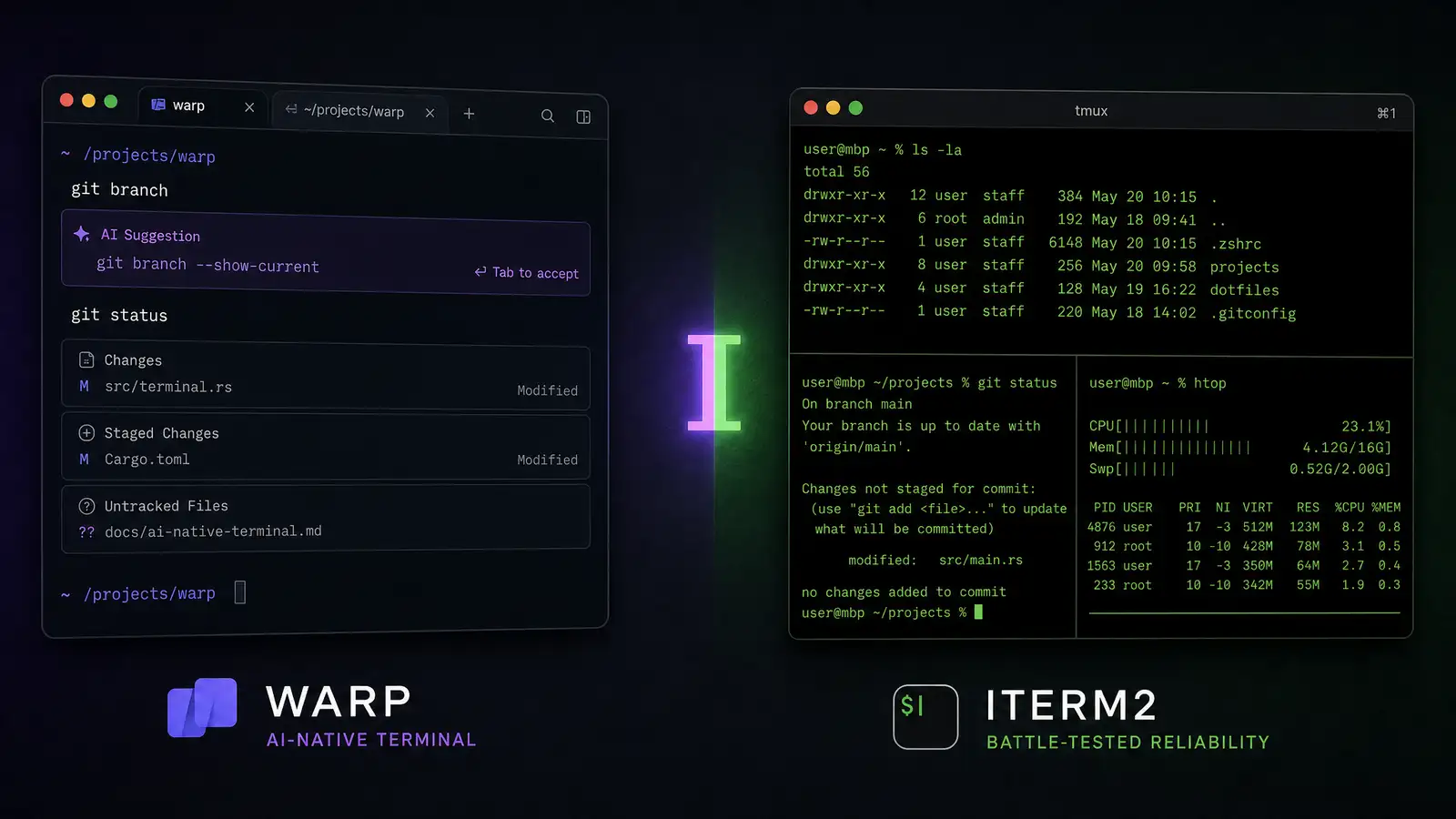
Most developers spend hours every day in a terminal emulator, but almost nobody thinks about upgrading theirs. For Mac users, iTerm2 has been the default upgrade from Terminal.app for over a decade — it is fast, stable, endlessly configurable, and free.
Warp is the new contender. Written in Rust, GPU-accelerated, and built around a fundamentally different model of how a terminal should work, Warp has been gathering steam among developers who want their terminal to do more than just echo characters. But is “more” actually better? After using both as my daily driver for weeks, here is the honest comparison.
Core Philosophy
iTerm2 is a traditional terminal emulator that happens to have every feature you might want. It renders text, sends keystrokes to your shell, and gets out of the way. Every additional feature — split panes, search, profiles, triggers — is layered on top of this simple foundation without breaking it.
Warp rethinks the terminal as a text editor for commands. Commands are grouped into blocks with input and output separated. You can edit a previous command inline and re-run it without scrolling through history. Output is searchable. Errors are highlighted. And an AI assistant is embedded directly in the terminal interface.
If you want a terminal that works exactly the way terminals have worked for 40 years, iTerm2 respects that. If you want a terminal that treats the command line as a modern IDE-like experience, Warp is that vision executed well.
Performance
iTerm2 has been optimized over 15 years. It uses Metal rendering on macOS and handles massive scrollback buffers without slowing down. Running a command that outputs 100,000 lines does not stutter.
Warp’s Rust-based GPU renderer is fast — faster than iTerm2 on most operations. Startup time is under 500ms. Rendering large outputs is butter-smooth. But Warp is newer, and there are edge cases: some TUI applications (like htop or vim) can flicker, and the block-based output model sometimes breaks when a program draws to the terminal in complex ways.
For standard terminal usage — git, npm, docker, ssh — both are fast enough that you will not notice a difference. For heavy TUI usage (neovim as a daily driver, complex terminal UIs), iTerm2’s maturity still gives it an edge.
The Block Model
Warp’s signature feature is the block model. Every command you run becomes a discrete block: the input line, the output, and any errors. You can copy a block, share it with a teammate, or bookmark it for later. The terminal history becomes a navigable document rather than a wall of monospaced text.
This is genuinely useful in two situations: debugging a failing command where you need to compare output across multiple runs, and collaborating with teammates where you want to share exactly what happened. Copying a Warp block and pasting it into Slack shares both the command and its output with formatting preserved.
The downside: the block model imposes a frame around everything, and if a long-running process intermixes stdout and stderr unpredictably, the block grouping can look messy. It also means Warp requires a login — your terminal settings and block history sync to Warp’s cloud, which some developers (and most security-conscious teams) find unacceptable.
AI Integration
Warp’s AI features are the headline differentiator. Press Ctrl-Space and type a natural language request — “find all Python files modified in the last week and show their size” — and Warp generates the command. It can also explain errors, suggest fixes, and write short scripts on demand.
In practice, the AI is useful for commands you run infrequently: ffmpeg incantations, jq filters, awk one-liners that you would otherwise Google. For everyday commands, the AI is overkill — you know how to git commit, and typing is faster than prompting.
The AI requires a Warp account and sends your prompts to Warp’s servers. If you work with proprietary code or sensitive data, this is a hard no.
iTerm2 has no AI features. If you want AI command generation, you open a browser tab and ask ChatGPT yourself. It is less convenient but also less invasive.
Configuration and Extensibility
iTerm2 is the king of configurability. Profiles, triggers, badges, hotkey windows, shell integration, tmux integration, and an extensive preferences panel let you tune everything. The Python API lets you script iTerm2 behavior programmatically, from auto-arranging windows to creating custom status bars.
Warp’s configuration is simpler and more opinionated. Themes exist but are less granular than iTerm2’s profiles. The settings panel is clean and modern. But there is no scriptable API, no triggers, and no way to deeply customize behavior beyond what Warp’s developers have decided you need.
If you have spent years tuning your terminal config, iTerm2 is irreplaceable. If you want sensible defaults and do not want to spend hours tweaking settings, Warp’s approach is refreshing.
Privacy and Accounts
iTerm2 is local-first. No account required, no data sent anywhere, no cloud sync. Your config lives in a plist file. Your terminal history stays on your machine.
Warp requires a free account and syncs your settings and block history to the cloud. The company says it does not read your terminal output, but the telemetry and cloud dependency are deal-breakers for some. Warp offers a team plan with SAML SSO and audit logs, but the base product still wants you signed in.
If you work in security, finance, or anywhere with strict data policies, iTerm2’s fully local model is the safer choice.
Verdict
Warp is the best thing to happen to terminal emulators in years. The block model, AI integration, and modern rendering make the command line feel less like a relic. For junior developers, Warp’s features genuinely reduce the friction of learning the terminal. For senior developers who collaborate frequently, block sharing is a killer feature.
iTerm2 remains the terminal for people who want total control. It is faster at the edges, more configurable, more private, and more stable. The lack of AI and cloud features is a feature, not a bug, for anyone who cares about security.
If you are open to rethinking how a terminal should work, try Warp. If you want the terminal equivalent of a well-worn pair of boots — reliable, familiar, and exactly the way you set it up — iTerm2 is not going anywhere.